Skip to content

MoPlayer Pro · v2.7.5

Rebuilt for
the big screen.

The newer MoPlayer for Android TV, Google TV and Fire TV: a Jetpack Compose interface in warm amber glass, a fast indexed library and a player that keeps up when you zap — for your own Xtream or M3U source.

On a TV? Type in Downloader:4608937ormoalfarras.de/mp2
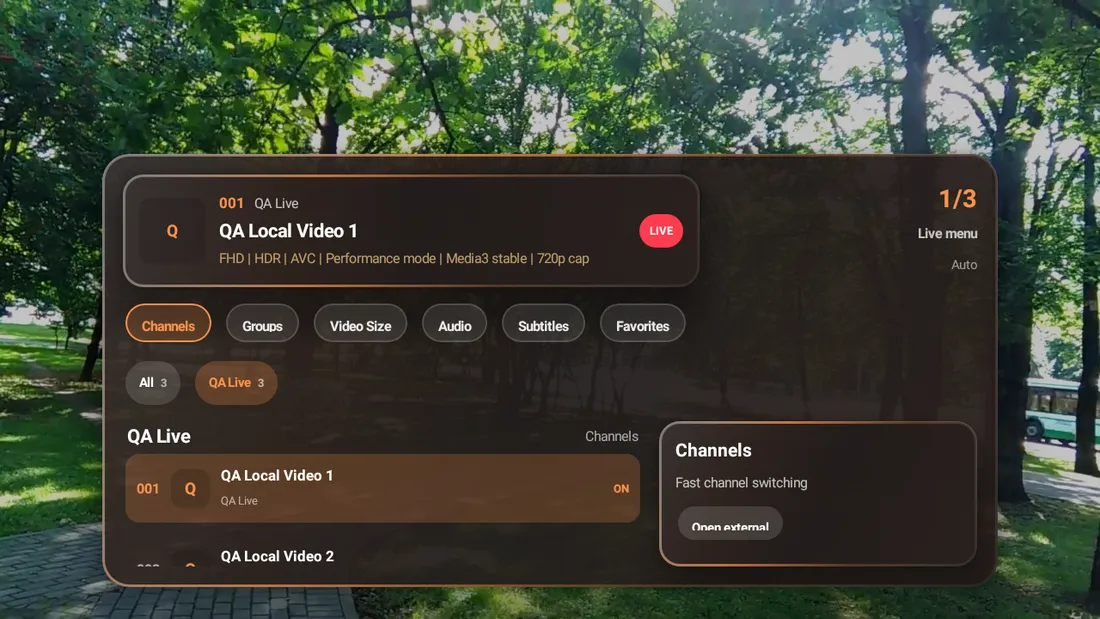
MoPlayer Pro playing a QA test video with the live menu open
  • Android TV · Google TV · Fire TV
  • Adaptive phone and tablet layouts
  • Xtream · M3U · XMLTV
  • English · العربية

What makes it Pro

Faster to browse, calmer to watch.

Screens from MoPlayer Pro QA builds with test streams.

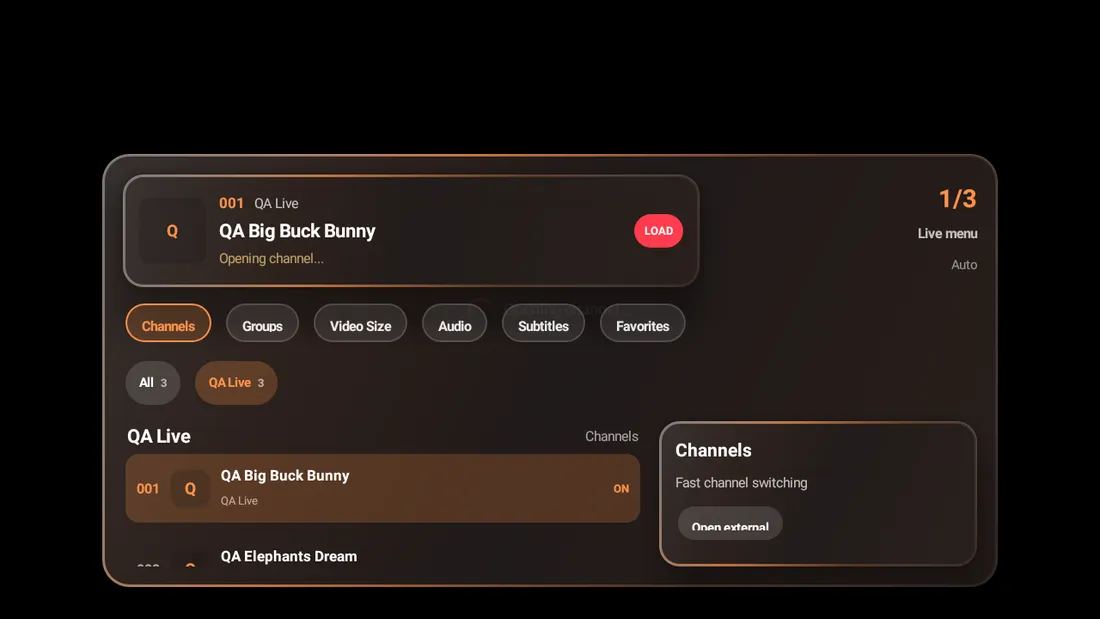
MoPlayer Pro live menu over the player with channels, groups, video size, audio, subtitles and favorites

Live menu

Change channel without leaving the picture.

Open the live menu over the video to switch channels or groups, change the video size, audio track or subtitles, and add favorites.
  • One player stays open across channels, so zapping is quicker
  • Media3 playback with a LibVLC fallback for stubborn streams
  • Clear, translated messages when a stream fails
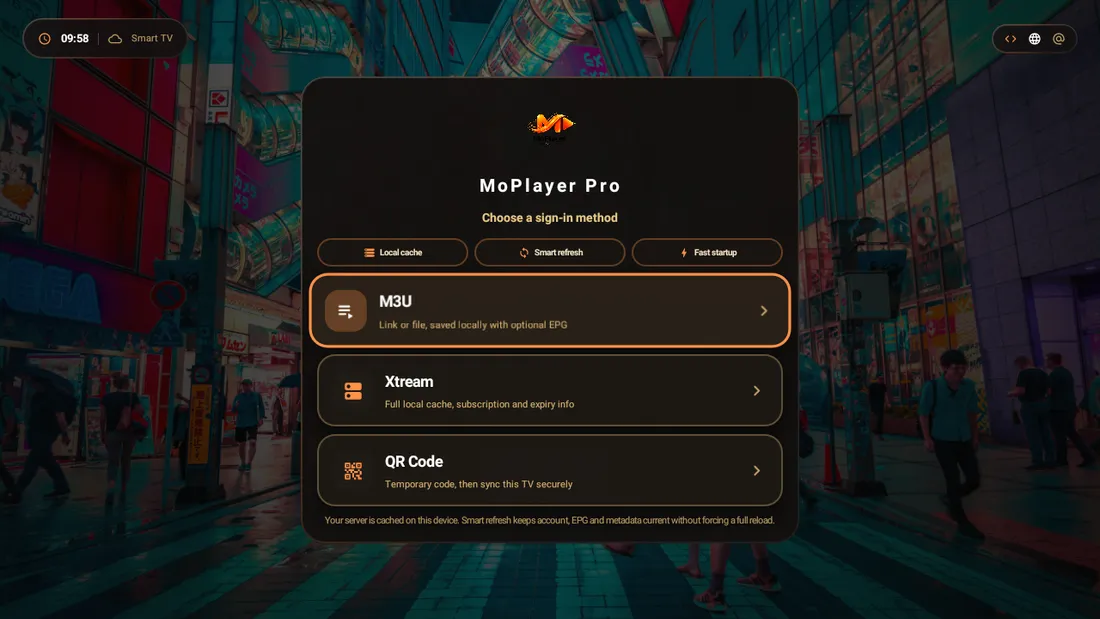
MoPlayer Pro sign-in screen offering M3U, Xtream and QR code activation

Sign in

Three ways in: M3U, Xtream or a QR code.

Paste an M3U link or pick a file, enter your Xtream account, or show a temporary QR code and add the source from your phone.
  • M3U link or file, with an optional EPG link
  • Xtream accounts show subscription and expiry info
  • Your source is cached on the device; smart refresh keeps it current
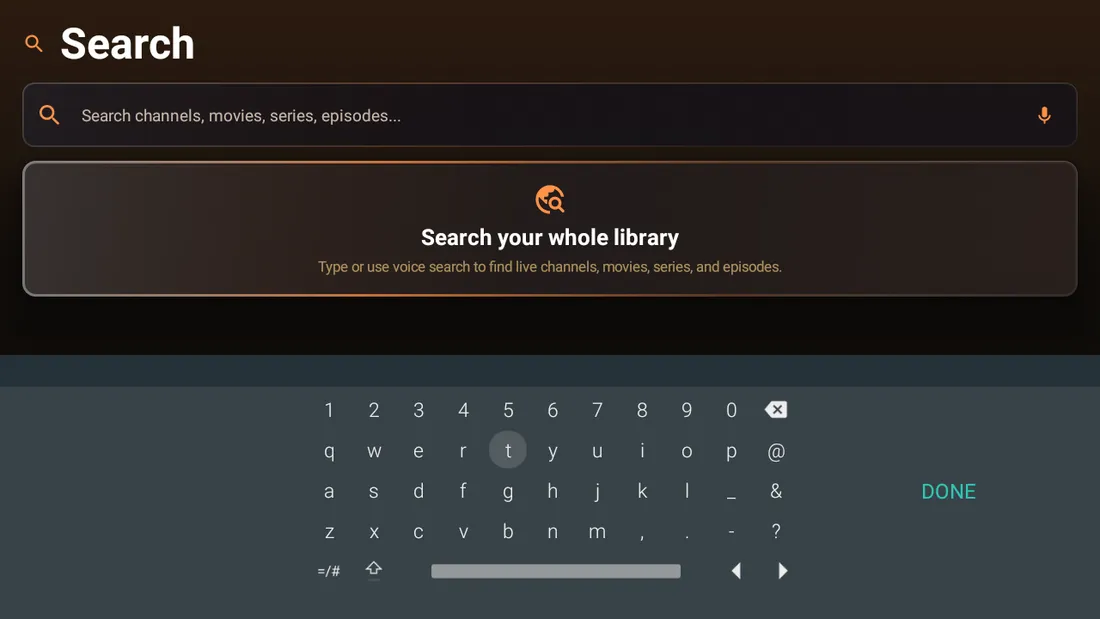
MoPlayer Pro search screen for channels, movies, series and episodes with the on-screen keyboard

Library

Channels, movies, series and episodes are indexed on the device while your source syncs, so search answers as you type — even on large lines.
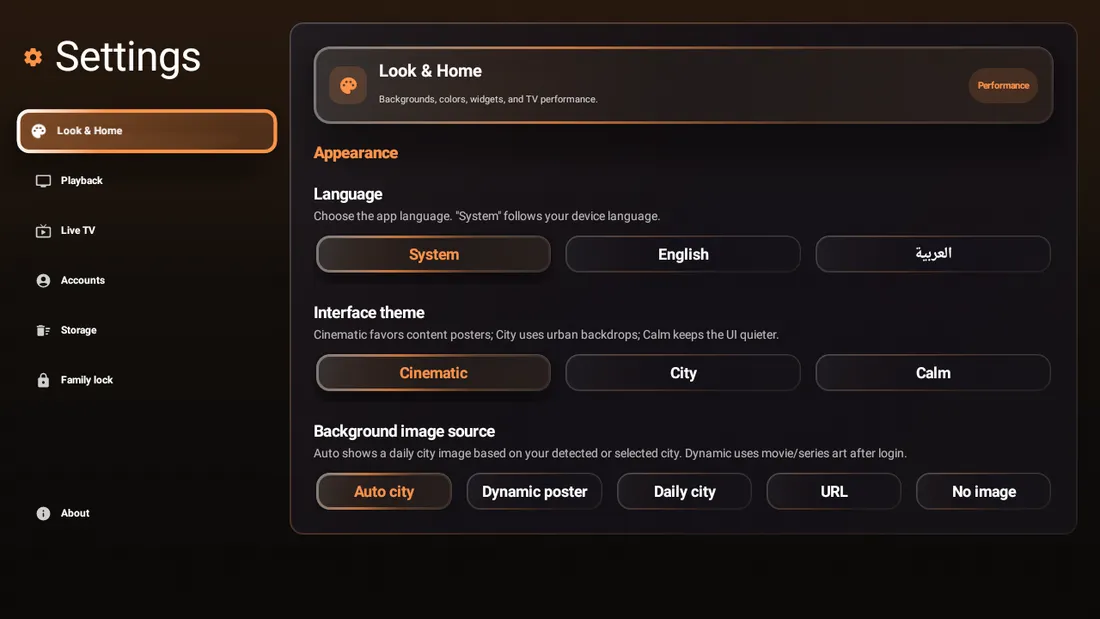
MoPlayer Pro Look & Home settings with the language choice System, English or Arabic

Look & language

Arabic or English, at the size your TV needs.

Switch between the system language, English and Arabic. Since 2.7.2 the interface is drawn at the same size on every TV, with an Interface size option (Compact, Standard, Large) and full group names.

Continue watching

Pick up movies and episodes where you stopped, and the next episode is offered when one ends.

Verified updates

The in-app updater checks the file size and SHA-256 before it installs a new version.

Same size on every TV

TVs that report an odd density or a large system font no longer get an oversized interface.

Android TV · Google TV · Fire TV

Install MoPlayer Pro on your TV in a minute

  1. Install Downloader

    Open the app store on your Android TV, Google TV or Fire TV, search for “Downloader” by AFTVnews and install it. It is free.

  2. Type the code

    Type the code below in Downloader and press Go to open the official page, then choose Download APK for MoPlayer Pro. To start the download directly, type the short link instead. If Android asks, allow Downloader to install unknown apps.

  3. Install and activate

    Open the app, scan the QR code with your phone and add your own Xtream or M3U source at moalfarras.de/activate.

Downloader code

4608937

Or type this short link

moalfarras.de/mp2

Always the latest version — the link never changes.

Both apps on one TV page:moalfarras.de/tv

Release

MoPlayer Pro 2.7.5

Every number on this page comes from the published release, so it always matches the file you download.

Version

2.7.5 (75)

APK size

53.6 MB

Requires

Android 6.0 or newer

Devices

Android TV, Google TV, Fire TV, phones and tablets

Sources

Xtream, M3U, XMLTV guide

Released

6 November 2026

Official downloads

235

SHA-256

21353385f397483c…e96e2af2ffff

Signed APK, served from GitHub Releases

Classic or Pro

Two separate apps. Pick the one that suits your TV.

Both are free, both are players only, and they install side by side. Each has its own APK, activation and updates.

MoPlayer Classic

Best for
Older and low-power boxes, and a familiar classic layout
Latest version
2.5.1
Minimum
Android 7.0
APK size
50.8 MB
Interface
Blue glass with a clear cyan focus
Library
Live TV with EPG, Movies, Series, Favorites, Search
Player
Media3 with VLC as fallback
Both include
QR activation, Interface size, Arabic and English
Phones
Phones and tablets in landscape
Classic page

MoPlayer ProThis page

Best for
Newer TVs and boxes, and a richer player
Latest version
2.7.5
Minimum
Android 6.0
APK size
53.6 MB
Interface
Rebuilt in Jetpack Compose, warm amber glass
Library
Indexed library with fast search, continue watching and next-episode playback
Player
Media3 with LibVLC fallback, faster channel zapping
Both include
QR activation, Interface size, Arabic and English
Phones
Adaptive phone and tablet layouts
Pro page

Questions

Before you install MoPlayer Pro

Need a hand?

  • Android blocks the install: allow your browser or Downloader to install unknown apps, then open the APK again.
  • A channel will not play: the app tells you why; on one-connection lines close other players first.
  • Activation code expired: open QR Code again to get a fresh one.
Contact support
Does MoPlayer Pro include channels or playlists?
No. MoPlayer Pro is a player only. It includes no channels, playlists or subscriptions; you connect your own Xtream account or M3U playlist that you are allowed to use.
Is MoPlayer Pro an upgrade of MoPlayer Classic?
No, it is a separate app with its own package, APK, activation and updates. Both are free and can be installed side by side. Classic suits older boxes; Pro is the newer app with a richer player.
Which Android version do I need?
Android 6.0 or newer. MoPlayer Pro is built for Android TV, Google TV and Fire TV first and adapts to Android phones and tablets.
How do I activate MoPlayer Pro?
Choose QR Code on the sign-in screen, scan it with your phone and add your source at moalfarras.de/activate. You can also sign in with M3U or Xtream directly on the TV.
Is it on Google Play?
No. Download the signed APK from this page, moalfarras.de/mp2 or the GitHub Releases of the project.

MoPlayer is a media player only. It does not sell or include channels, playlists, subscriptions or copyrighted media. You add a source you own or are legally allowed to use.

Read the app disclaimer